Depots
A depot is a site where your vehicles start and end their day - usually a warehouse or yard. Routes are planned per depot, users can be limited to certain depots, and each depot’s warehouse locations live under it.
Where to find it: Organization > Depots Who can use it: “View depots” to see the list; “Manage depots” to add, change, deactivate or delete a depot. By default only Administrators can manage depots. Users limited to certain depots only see those depots.
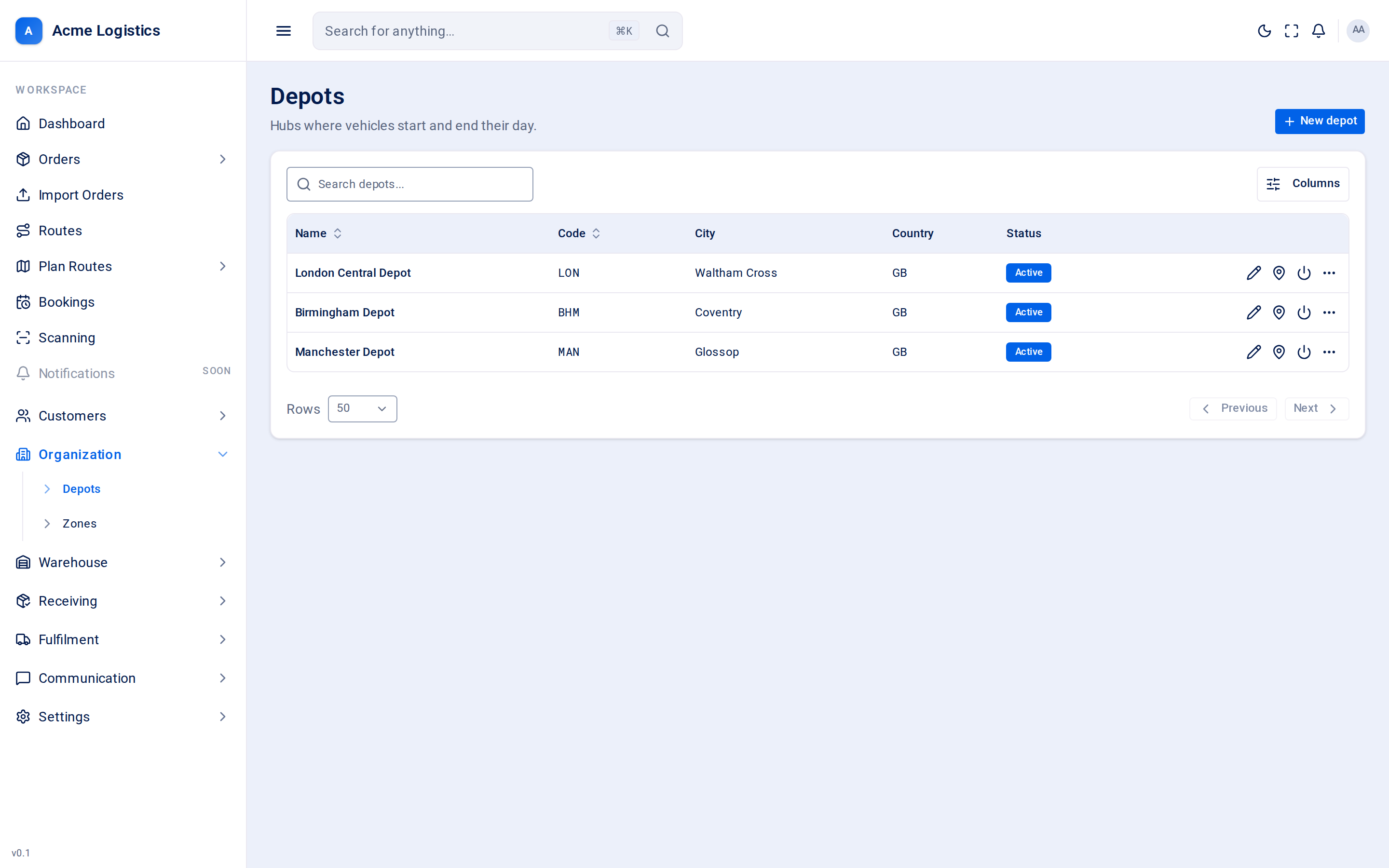
Screenshot coming soonThe depots list
When you use this
Section titled “When you use this”- Setting up your workspace: add every site you run vans from.
- Opening a new site, or closing one.
- Correcting a depot’s address or map pin so route schedules start from the right place.
The depot list
Section titled “The depot list”Search by name, and sort by name or code.
| Column | What it means |
|---|---|
| Name | The depot’s name. |
| Code | Its short code. |
| City | Its city, or “-”. |
| Country | Its country code, or “-”. |
| Delivers to | The countries the depot delivers to for pricing, one chip each. The ring on a chip fills as more of that country’s areas are put in a price zone; hover for how many, for example “40 of 124 areas in a zone”. No countries yet when none are set, “-” for an inactive depot. Shown only with “View price lists, price zones and serviceable countries”. |
| Price zones | How many price zones the depot has. Shown with the same permission. |
| Status | Active or Inactive. |
Adding or editing a depot
Section titled “Adding or editing a depot”Click New depot, or Edit in a depot’s row menu.
| Field | What it means | Required | Why it matters |
|---|---|---|---|
| Name | The depot’s name, for example “North London”. | Yes, up to 255 characters | Shown in the Plan Routes menu (one entry per depot), in user depot scopes and on routes. |
| Code | A short code for the depot. | Yes, up to 50 characters, unique | Used wherever space is tight. Two depots cannot share a code. |
| Timezone | The depot’s local timezone. New depots start with Europe/London. | Yes | Route schedules, stop times and the delivery windows quoted to recipients are worked out in the depot’s timezone. Get this wrong and every time on its routes is out by the difference. |
| Active | Whether the depot is in use. | - | Switch it off when a site closes rather than deleting it. |
| Street | First line of the address. | No, up to 255 characters | For your records and paperwork. |
| City | Town or city. | No, up to 255 characters | Shown in the list. |
| Postcode | Postcode. | No, up to 20 characters | |
| Country | The depot’s country. | No | Custom zones are loaded for the countries your depots are in, so a depot’s country decides which published charge zones you see. A new order takes the depot’s country until someone picks another, and an order with no country is priced as if it were in the depot’s country. |
| Phone | The depot’s phone number. | No, up to 40 characters | |
| The depot’s email address. | No, up to 255 characters | ||
| Latitude / Longitude | The depot’s exact position on the map. | No, but enter both or neither | This is where routes start and end: route schedules measure travel from this point to the first stop, and back again at the end of the day. |
Buttons and actions
Section titled “Buttons and actions”| Action | What it does |
|---|---|
| New depot | Opens an empty form. |
| Edit | Opens the depot in the side panel. |
| Delivers to (globe icon) | Opens the countries the depot delivers to in their own panel. Each country shows how many of its areas are in a price zone, with a Zones link to paint them. Add country adds the one picked in Choose a country…; the cross beside a country removes it, and asks “Stop delivering to …?” first if it has areas in a zone (its zones are kept and come back if you add it again). Each change saves at once. Orders to any other country need a manual quote. Shown with “View price lists, price zones and serviceable countries”; changing the countries needs “Edit price lists, price zones, serviceable countries and order property prices”. |
| Manage locations | Opens Warehouse > Locations with this depot already selected. Shown if you can view locations. |
| Deactivate / Activate | Switches the depot off or back on, straight from the row. |
| Delete | Removes the depot straight away, without a confirmation. |
| Use my location | Fills latitude and longitude from your browser’s location. Only useful if you are standing at the depot. |
| Remove pin | Clears latitude and longitude. |
| Create depot / Save changes | Saves the depot. |
Tips and common mistakes
Section titled “Tips and common mistakes”- Check the map position: copy the coordinates from a map app while looking at the depot’s gate, not the postcode centre.
- Deactivate rather than delete a closed site, so its history still makes sense.
- Set the right timezone before planning any routes from the depot.
Related
Section titled “Related”- Zones
- Custom zones
- Users - depot scope
- Scheduling settings