Messaging
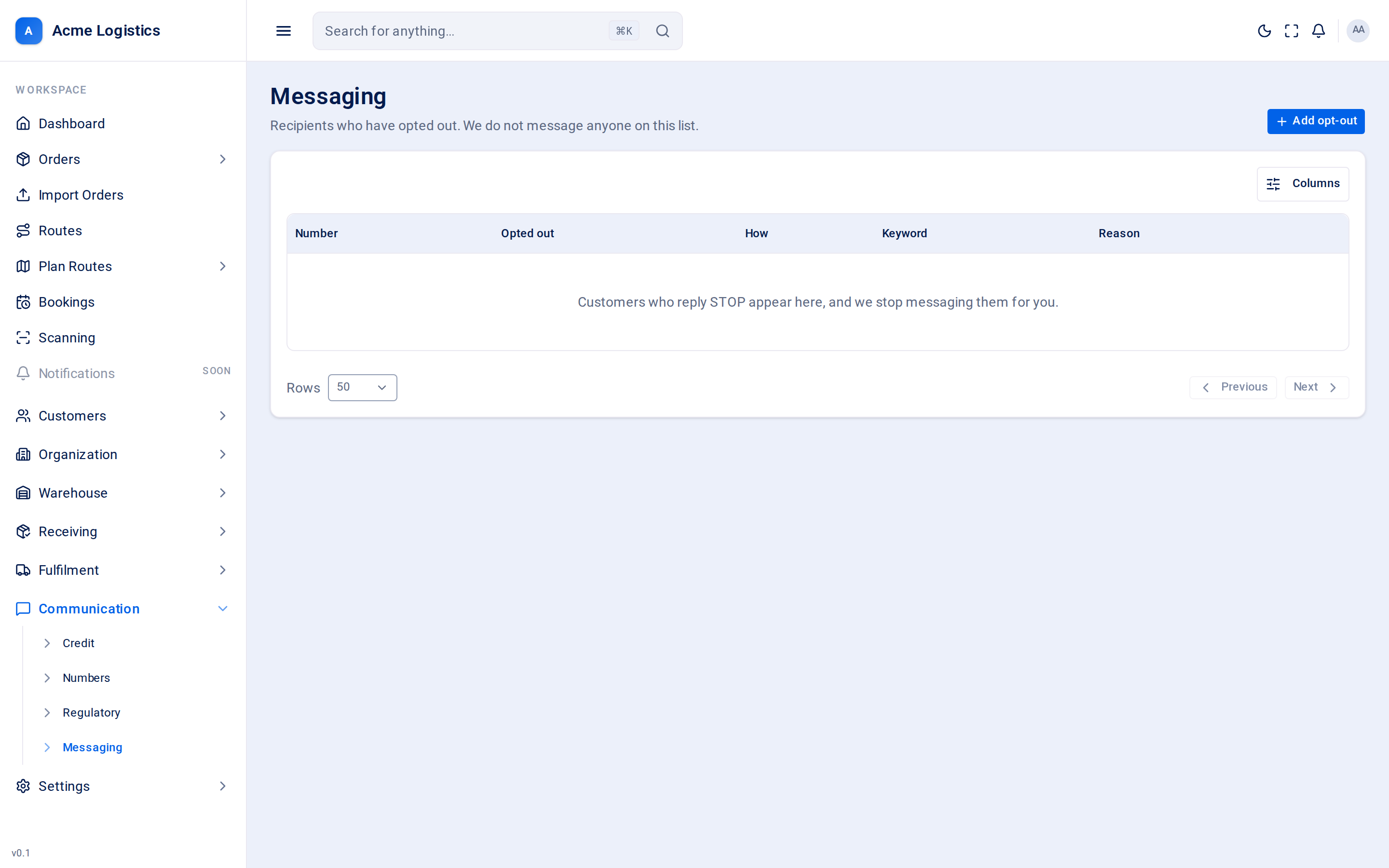
The Messaging screen is your opt-out list: phone numbers of recipients who asked you to stop messaging them. Tracovy checks this list before every text and call, and refuses to contact a number on it. The list is also your consent record - it shows how and when each person opted out.
Where to find it: Communication > Messaging Who can use it: permission to view recipients to see the list; permission to manage recipients to add someone or lift an opt-out. Without it, the list is read-only and has no buttons.
When you use this
Section titled “When you use this”- A recipient phones and asks you to stop texting them.
- A recipient who opted out asks to receive delivery texts again.
- You need to show when and how someone opted out.
How people get onto the list
Section titled “How people get onto the list”Recipients can opt themselves out by replying to one of your texts with one word. Tracovy recognises the reply when it is the whole message, in capitals or not:
| Reply | Effect |
|---|---|
| STOP, STOPALL, UNSUBSCRIBE, CANCEL, END, QUIT | Opts the number out. It appears on this list as Customer replied with the word they sent. |
| START, YES, UNSTOP | Opts the number back in. |
| HELP, INFO | Does not change the opt-out. |
A longer reply such as “please stop” is not treated as an opt-out. If someone asks in their own words, add them yourself.
Columns
Section titled “Columns”| Column | What it means |
|---|---|
| Number | The phone number in international form. |
| Opted out | When the opt-out happened. |
| How | Customer replied (they texted a stop word), Added by staff, or Imported. |
| Keyword | The word they replied with, for a Customer replied entry. “-” for staff entries. |
| Reason | The reason staff gave, for an Added by staff entry. |
The list has no search box; use the pages at the bottom to move through it.
Adding someone to the list
Section titled “Adding someone to the list”Add opt-out opens Add to the opt-out list. Messaging stops straight away.
| Field | What it means | Required | Why it matters |
|---|---|---|---|
| Number | The phone number in full international form, starting with + and the country code, for example +447700900123. |
Yes | It must match exactly how Tracovy texts the number, so a local form such as 07700 900123 is refused. |
| Reason | Why they are being added, for example “Asked us to stop by phone”. | Yes, up to 255 characters | Nobody else witnessed the conversation, so this is the only record that they asked. |
Click Add to the list to save.
Lifting an opt-out
Section titled “Lifting an opt-out”Lift in a row’s menu opens Message this recipient again? It shows the number and asks for a reason.
| Field | What it means | Required | Why it matters |
|---|---|---|---|
| Reason | Why messaging is being restarted, for example “Asked us to start again by phone”. | Yes, up to 255 characters | You are overriding the person’s own request. Both their request and your change stay on the record permanently. |
Message them again removes them from the list; Cancel leaves them on it.
Tips and common mistakes
Section titled “Tips and common mistakes”- An opted-out recipient still receives emails. The opt-out list covers texts and calls only.
- Their delivery itself is not affected - only texts and calls from Tracovy are.
- To see what was sent to a number, open the number you sent from on the Numbers screen and use its Messages tab.