Suppliers
A supplier is a business that sends stock to your warehouse on behalf of one of your customers - a furniture maker shipping to your client’s stock, for example. Each supplier belongs to one customer. Suppliers are picked on manifests and linked to products.
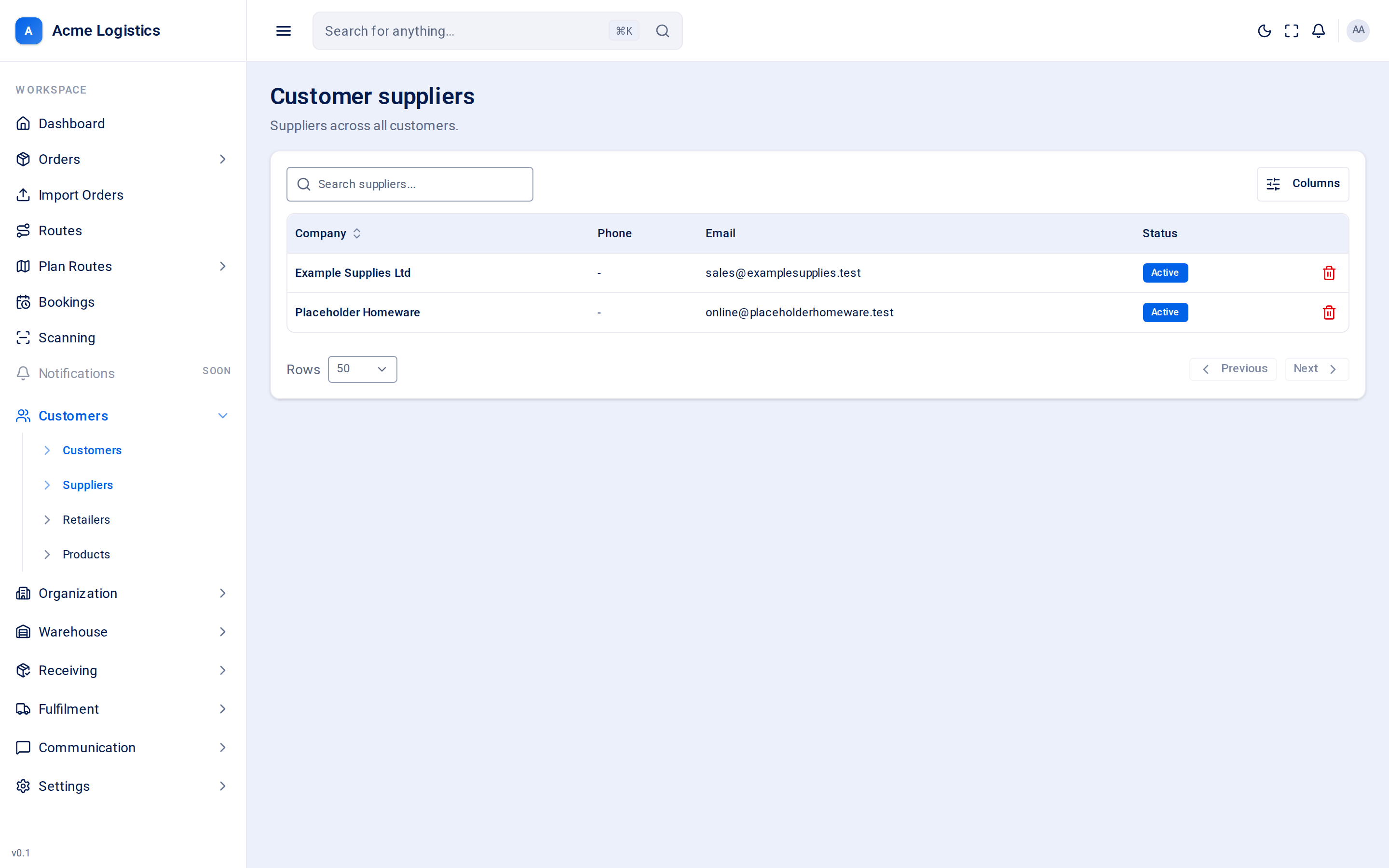
Where to find it: Customers > Suppliers for every customer’s suppliers in one list; a customer’s own Suppliers tab to add and edit them. Who can use it: you need permission to view customer suppliers to see them, and to manage customer suppliers to add, change or delete them.
When you use this
Section titled “When you use this”- Add the supplier named on a customer’s first manifest.
- Update a supplier’s email so missing-item and damage reports reach them.
- Suspend a supplier a customer has stopped using.
- Tidy up suppliers that were added twice.
The Customer suppliers list
Section titled “The Customer suppliers list”“Suppliers across all customers.” Use it to find a supplier. It does not show which customer each supplier belongs to, and you cannot add or edit suppliers here - open the customer and use their Suppliers tab.
| Column | What it means |
|---|---|
| Company | The supplier’s company name. |
| Phone | Their phone number, or “-”. |
| Their email address, or “-”. | |
| Status | Active or Suspended. |
| Action | What it does |
|---|---|
| Search suppliers… | Narrows the list. |
| Sort by company or date added | Click the column heading. |
| Delete (row menu) | Asks “Delete supplier?” and removes the supplier when you confirm. A supplier with linked products cannot be deleted. |
On a customer’s Suppliers tab
Section titled “On a customer’s Suppliers tab”| Action | What it does |
|---|---|
| Search suppliers… | Narrows this customer’s suppliers. |
| New supplier | Opens the supplier form. |
| Status switch | Switches one supplier between Active and Suspended on the spot. |
| Edit (row menu) | Opens the supplier form. |
| Delete (row menu) | Asks you to confirm, then removes the supplier. Refused if products are linked to it. |
| Tick boxes | Select suppliers on this page (the box in the heading selects them all). A bar appears with Activate, Suspend and Delete for all of them at once. Bulk delete skips suppliers with linked products. |
The supplier form
Section titled “The supplier form”| Field | What it means | Required | Why it matters |
|---|---|---|---|
| Company name | The supplier’s business name. | Yes, up to 255 characters | How the supplier appears on manifests and products. |
| The supplier’s email address. | No, a valid email up to 255 characters | When a manifest from this supplier is completed with missing items, or damage is reported on it, the supplier is emailed (Manifest Missing Items, Manifest Damage). No email here means the supplier is not told. | |
| Phone | Their phone number. | No, up to 40 characters | For your team to call. |
| Fax | Their fax number. | No, up to 40 characters | For your records. |
| Active | Whether the supplier is in use. On by default. | - | Lets you mark a supplier the customer no longer uses without deleting it. |
| Address | The supplier’s address, as free text. | No | For your records. |
| Product code prefixes (one per line) | The starts of product codes this supplier uses, for example SLP-. |
No, each up to 50 characters | Recorded on the supplier. Tracovy does not use them to match products automatically yet - link products to their supplier on the product form. |
Save supplier saves the form.
Tips and common mistakes
Section titled “Tips and common mistakes”- Before deleting a supplier, move or delete the products linked to it - otherwise the delete is refused.
- Two customers can each have a supplier with the same name. They are separate records; check which customer you are on.
Related
Section titled “Related”- Customer details - the Suppliers tab
- Products
- Retailers
- Email templates - the supplier manifest emails