Delivery slots
Delivery slots are the timed services an order can ask for - “AM”, “Evening”, “Business Hours” and so on. Tracovy creates the same set for every workspace. This screen lets you look them up; it does not let you change them.
Where to find it: Settings > Delivery slots Who can use it: anyone with “View delivery slots”. Every built-in role except the warehouse roles has it.
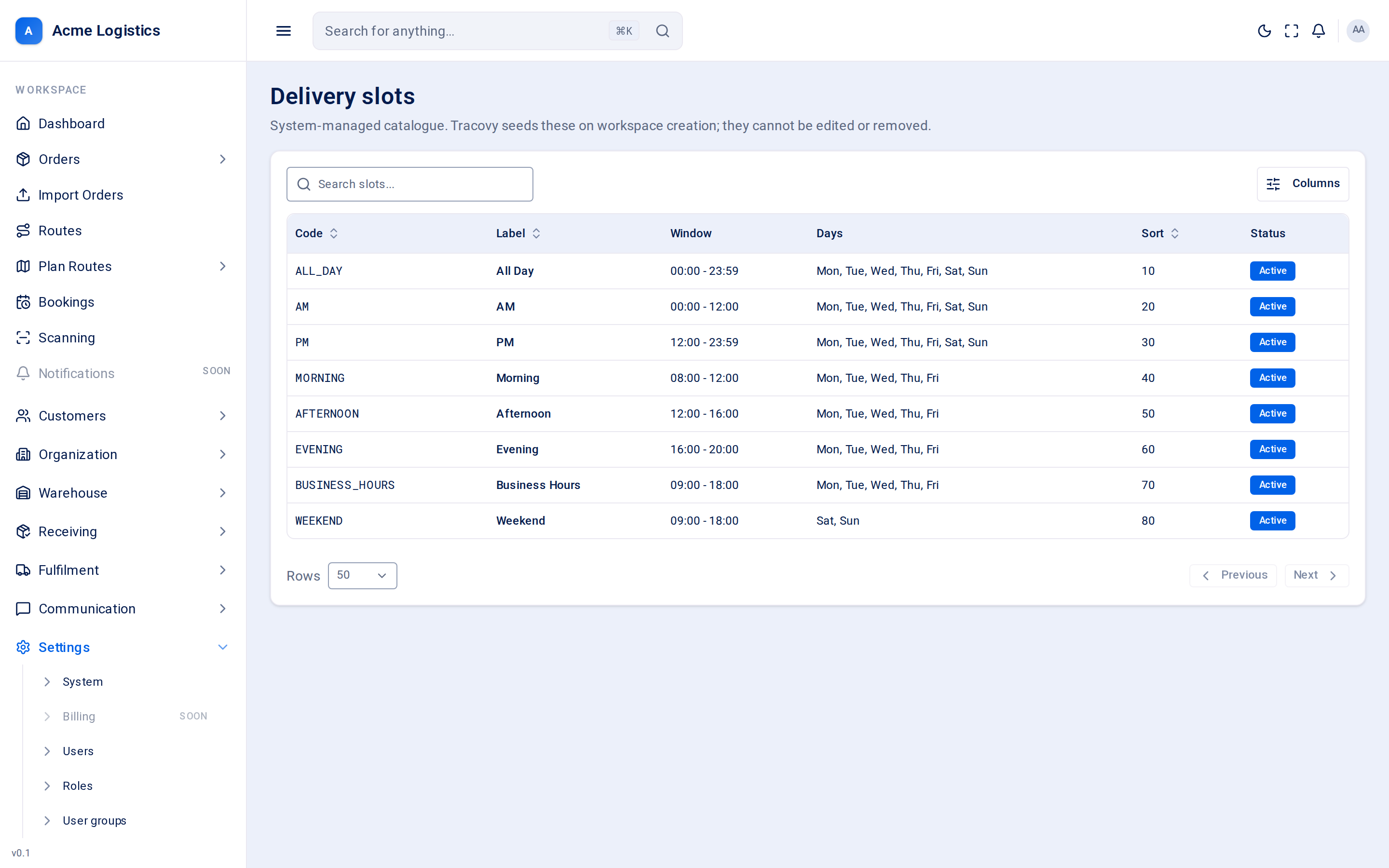
Screenshot coming soonThe delivery slots catalogue
When you use this
Section titled “When you use this”- Check exactly what time window a slot name means before promising it to a customer.
- See which days a slot is offered on.
Where slots are used
Section titled “Where slots are used”- On the order. The Timed service field on an order offers every active slot. Leave it empty for an all-day delivery.
- On the route planning board. An order’s slot is shown as its timed service, so planners can place it at the right point in the day. Orders on the Business Hours slot are marked so planners can see the drop must be during business hours.
Columns
Section titled “Columns”| Column | What it means |
|---|---|
| Code | The slot’s fixed code, for example BUSINESS_HOURS. |
| Label | The name shown on the order form, for example “Business Hours”. |
| Window | The start and end time, for example 09:00 - 18:00. |
| Days | The days of the week the slot applies to. |
| Sort | The order slots are listed in. |
| Status | Active slots are offered on the order form. Inactive ones are not. |
The slots every workspace has
Section titled “The slots every workspace has”| Label | Window | Days |
|---|---|---|
| All Day | 00:00 - 23:59 | Every day |
| AM | 00:00 - 12:00 | Every day |
| PM | 12:00 - 23:59 | Every day |
| Morning | 08:00 - 12:00 | Mon - Fri |
| Afternoon | 12:00 - 16:00 | Mon - Fri |
| Evening | 16:00 - 20:00 | Mon - Fri |
| Business Hours | 09:00 - 18:00 | Mon - Fri |
| Weekend | 09:00 - 18:00 | Sat, Sun |
Buttons and actions
Section titled “Buttons and actions”The screen is read-only. You can search, sort by code, label or sort order, and choose which columns to show.
Tips and common mistakes
Section titled “Tips and common mistakes”- “AM” and “Morning” are different: AM covers midnight to noon every day, Morning is 08:00 to 12:00 on weekdays.
- If you need a slot that is not in the list, contact Tracovy support.
Related
Section titled “Related”- Scheduling settings - the narrowest window quoted to a recipient
- Order properties